

What was on screen is part of the notes.
Ternlo can take screenshots during the meeting, reads the text on them and matches it to what was said. So the summary knows which slide people meant. You release which screens it may use.
Ternlo is a meeting notetaker for the Mac. It records both sides of the call, tells the speakers apart and writes the summary. Your own keywords go in too, if you type any.
No bot in the call. No account needed. You decide which models run: on your Mac or with a provider you choose.
No bot joins your call. Ternlo listens on your Mac: your microphone on one track, the call on another. You stay in the conversation and don't have to write it all down. Afterwards, each point of the summary links back to the moment it was discussed.
Scroll through a weekly call the way Ternlo sees it.
Ternlo captures your microphone and your Mac's sound as two separate tracks, so your voice is never mixed with the other side. You can type a few keywords, but you don't have to.
The text is there while people still talk. So the chat, and your agent over MCP, can already read along and answer during the meeting.
It tells the voices apart on your Mac and uploads no audio for it. A model can suggest names, and you accept each one.
For meetings: a TL;DR, decisions and action items. Each statement links back to its time in the recording.
Chat searches your notes by keyword and by meaning and cites the notes it used. Ask in one note, one folder, or across all of them.
Illustration of the app with an invented meeting.
Six things that set Ternlo apart from a plain recorder.
Ternlo can take screenshots during the meeting, reads the text on them and matches it to what was said. So the summary knows which slide people meant. You release which screens it may use.
Ternlo ships its own MCP server. Claude Code, Codex or Claude Desktop search and read your notes, even while a recording is still running.
The built-in chat searches one note, one folder or everything, reads what it finds and names the places it relied on.
A model checks who really spoke, suggests names, gives the note a title and proposes a folder. You accept what fits and undo what does not.
Link a note to an Outline page. The summary and the name suggestions read the agenda, and you can append the meeting notes to the page.
Every note goes into one index of full text and meaning. The model for it is built in and runs on your Mac. Chat, search and agents all use it.
Illustrations with an invented meeting.
Screenshots of Ternlo 0.1 with sample meetings. Drag the handle to compare light and dark.


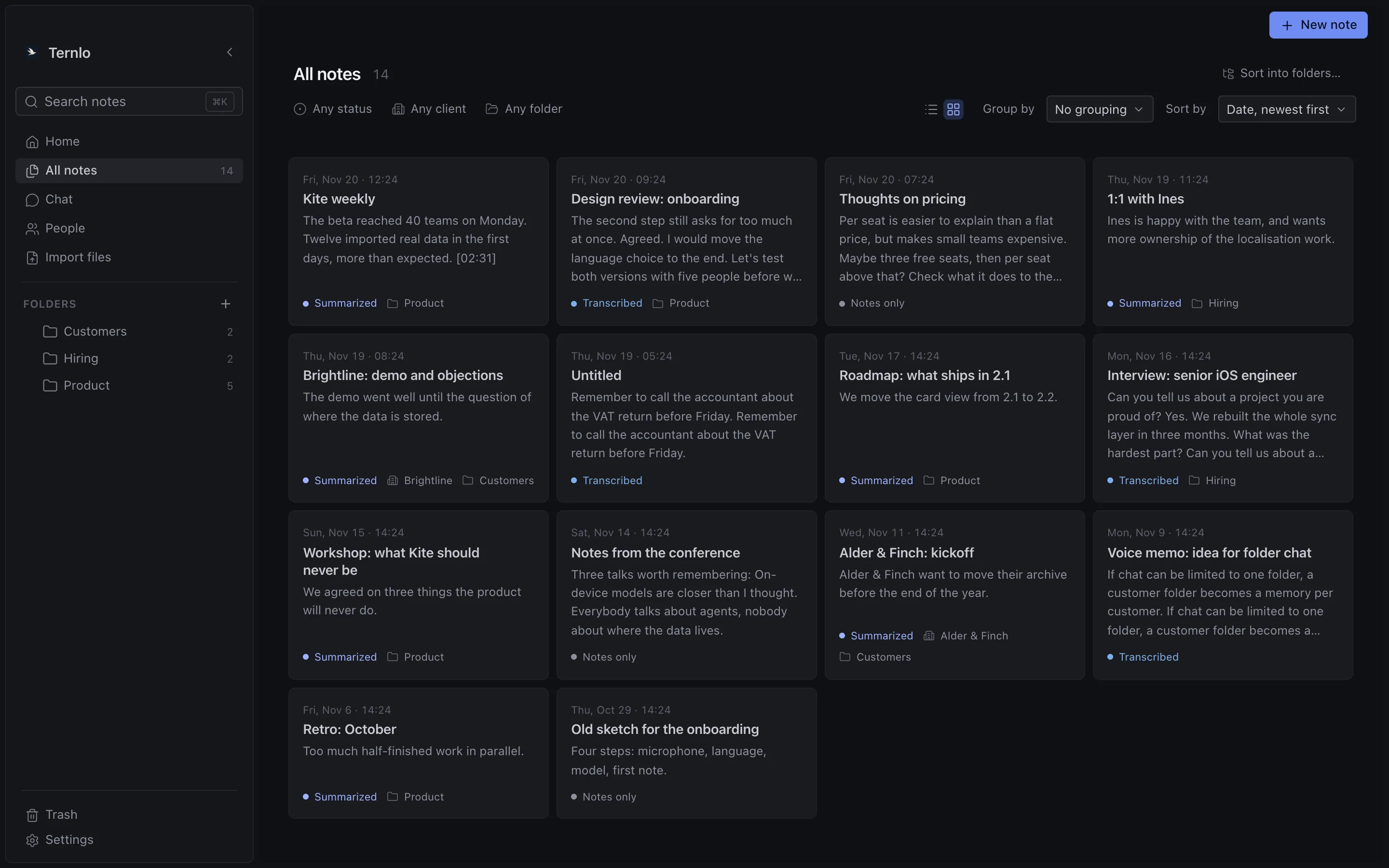
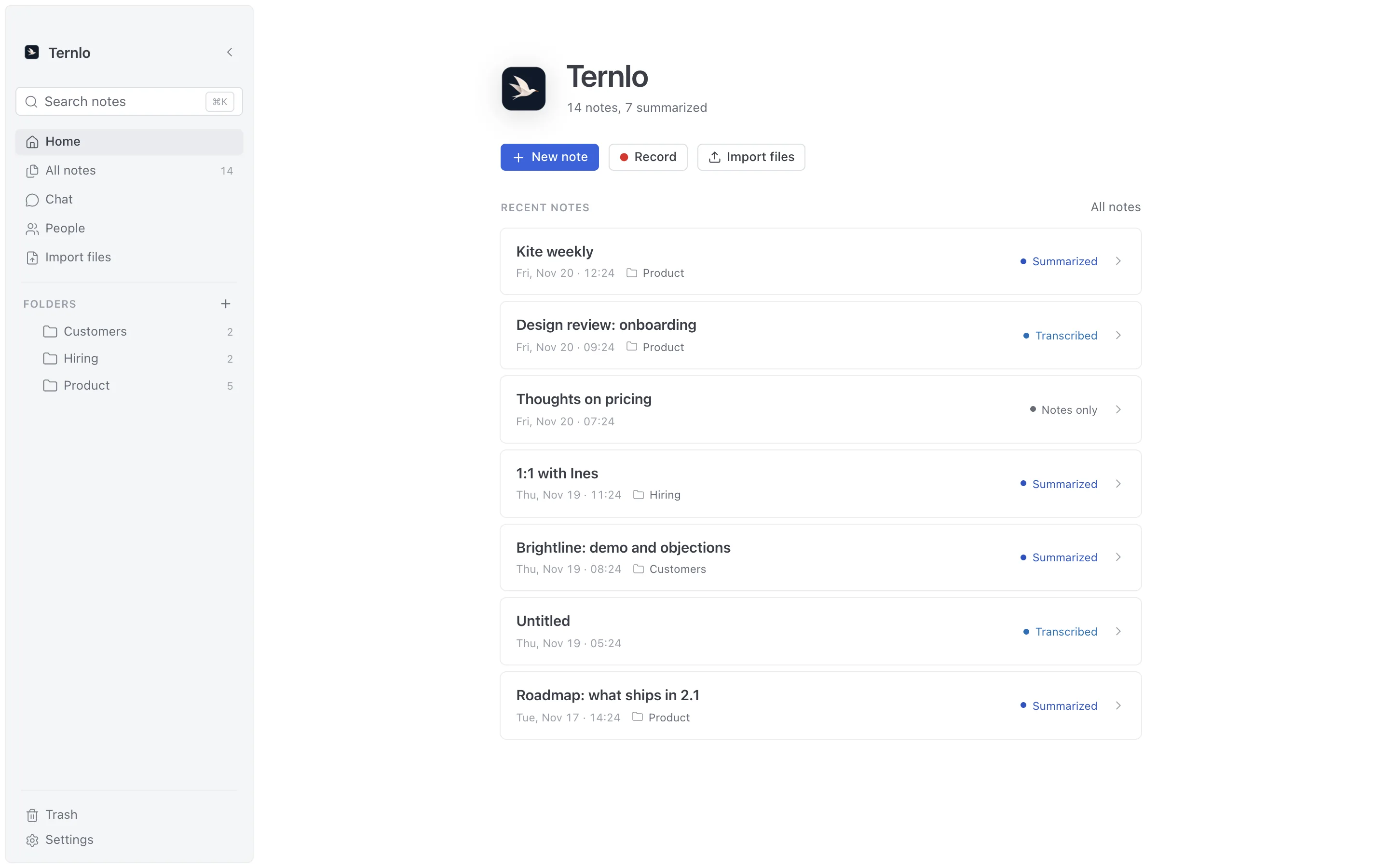
Ternlo needs no account and sends no telemetry. Recording, transcription, speaker labels, search and summaries can all run on your machine. If you prefer a cloud model for a step, you add your own key. Below you see what each step sends.
This Mac
No meeting content leaves your Mac.
This Mac
Providers you choose
These steps can go out, with your own key. You choose for each step. Other steps can use a cloud model too, if you set one up: name suggestions read the transcript, and screen reading, with an optional pre-check, sees the screenshots. If you set no model for screens, the summary model reads them, when it can take images.
Yes. You can download and use the app free of charge, for personal and professional work, on any number of your own Macs. If you choose a cloud provider for transcription or summaries, that provider bills you directly.
No. Ternlo records your microphone and the sound your Mac plays. It works with Zoom, Google Meet, Teams or any other app, and with people in the same room. Please tell people before you record them.
Not for recording, transcription or speaker labels: these run on your Mac. For summaries you need one of three things: a local model server such as Ollama or LM Studio, Claude Code on your own plan, or an API key from Anthropic or OpenAI. Chat works with a local server or an API key.
Macs with Apple silicon and macOS 14 or later.
In one SQLite database under ~/Library/Application Support/com.ternlo.macos/. Kept audio is stored next to it.
Ternlo checks GitHub for a new version, downloads it in the background and installs it when you choose Restart to update. You can turn the check off in Settings. With Homebrew: brew upgrade --cask --greedy ternlo.
No. The source code is not public. The app is free to use, and it works without any Ternlo service.
Free for personal and professional use on your own Macs.
v0.1.0 · 51 MB · notarized by Apple
brew install --cask ternlo/tap/ternlo
Requires macOS 14 or later on Apple silicon. Release notes
SHA-256 of the DMG
e6be9b0c8da4c515b9d65357dbe54ba9b6fb64aca9c51481e762ae21ce68e5af